Step One
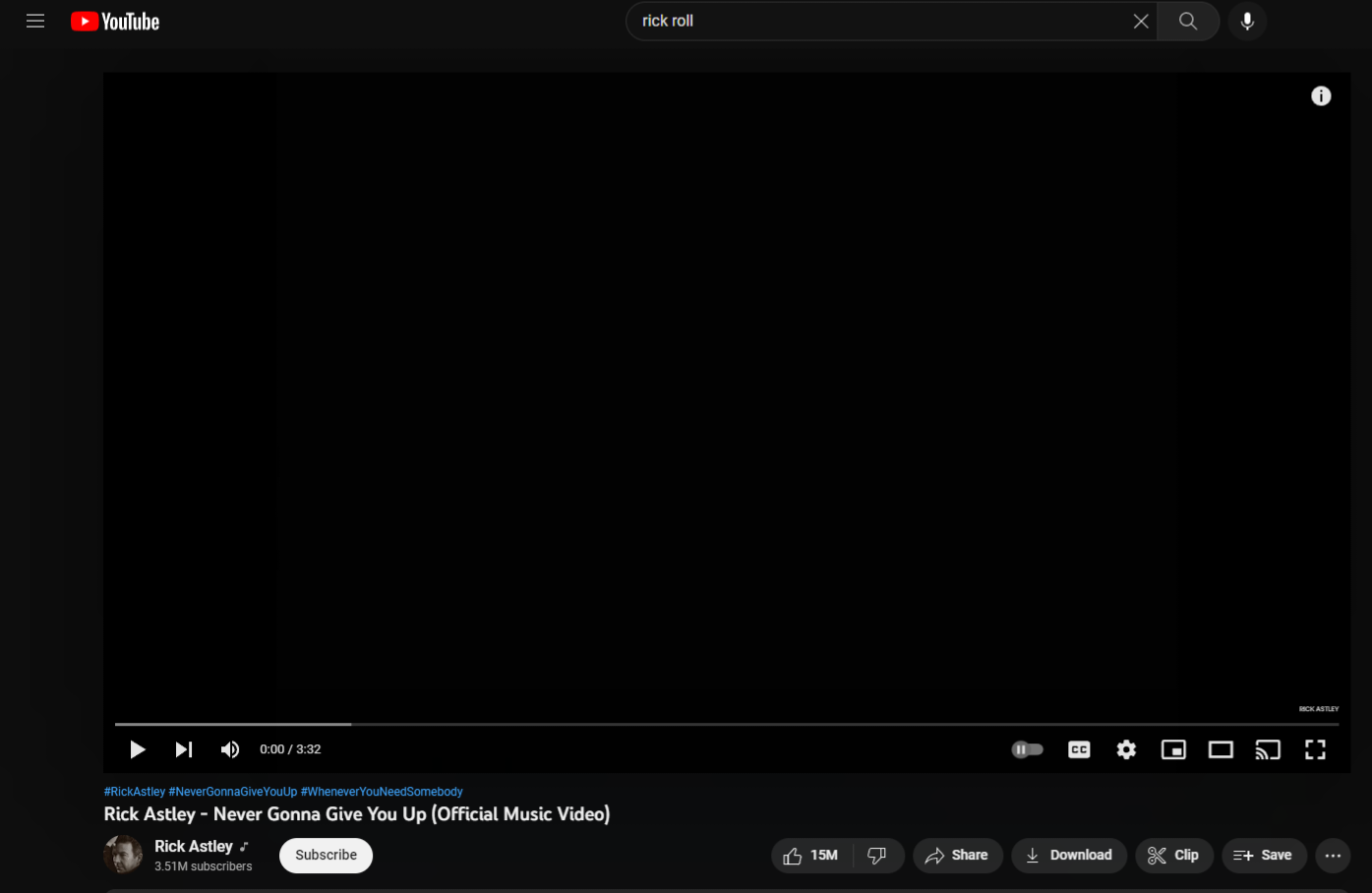
Firstly, find the video that you want to embed from an external site, such as YouTube (as shown).
Video Embedding Tutorial
Step One
Firstly, find the video that you want to embed from an external site, such as YouTube (as shown).
Step Two
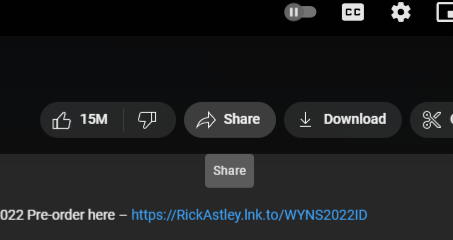
Secondly, click the share button, situated below the video and next to the like/dislike buttons.
Step Three
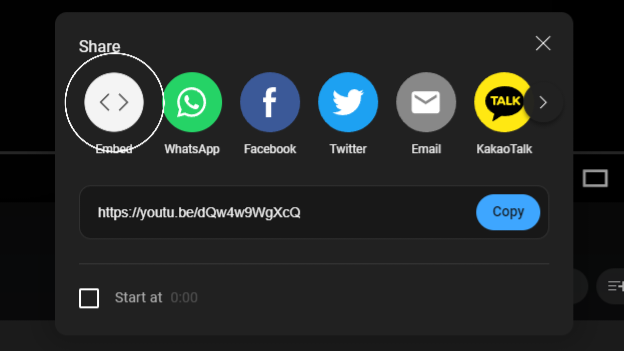
From the pop-up you need to select the first option, 'Embed'.
Step Four
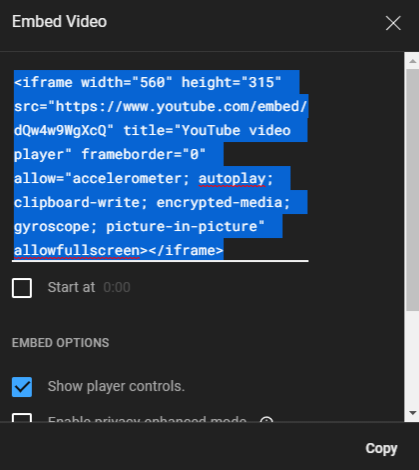
Copy the HTML5 code line. Select any other options shown. In this case, the video should start at the beginning of the video and offer the user some basic controls.

Step Five
Finally, paste that line of HTML5 code into your HTML5 file.
Step Six
This should be the finished product.
Go back to the hub